
Crowdsourcing the right versions of streams


Nuclear is a free, open source music player that finds music for you
Nuclear is a music aggregator. It doesn’t host any music; all music is provided by plugins. And plugins try to find corresponding streams based on each track’s artist, title, and other metadata. This process isn’t always 100% accurate and the plugin will pick a wrong stream sometimes, like a nightcore edit or a live version recorded with a mobile phone in 2009.
You could already fix this by right-clicking the track in the queue and picking a different result. But that only fixed it for you, and was in effect only while that track was in your queue.
How stream verification works
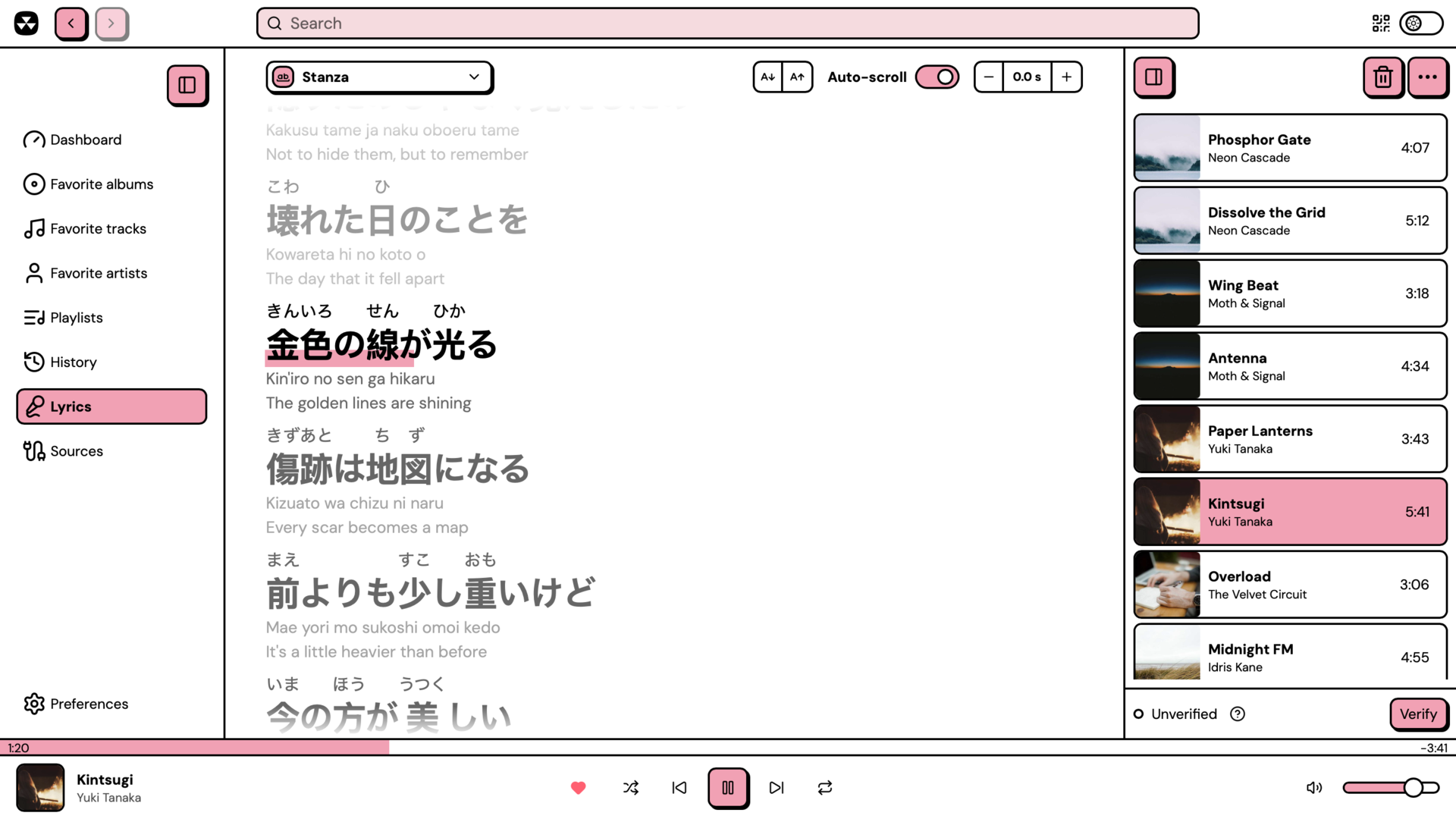
To solve this problem, Nuclear introduces a crowdsourced stream verification system. When you play a track and hear the correct version, you can now verify it.
This saves your vote locally, and if you have online verification enabled, shares it with other Nuclear users. You also benefit from this: other users’ verifications let you get the right stream for the music you listen to. If you disagree with the community, your vote always overrides theirs, so you can still change the version that plays.
You can vote once per track. If you verify a different stream later, your vote moves to that stream. You can take it back by clicking Unverify.
Offline verification
If you want to just fix some streams for yourself, all this works fully offline, on your computer. Same thing if the verification service is down.
Legacy database is still available
This feature comes pre-loaded with a legacy database created by the community for the old version of Nuclear. All those saved votes are still there, and you will be able to benefit from them.
Privacy
I take privacy very seriously (but like, for real, not like “we and our 1848 partners…”). To link you to your verifications, a random UUID is used. That’s all the data we’ve got about you. You can change this UUID at any time. The entire feature works fully offline if you just want to fix streams for yourself.
How to update
Nuclear has an auto-update mechanism. Either let it auto-update by itself, or use the “Click to update” button which will appear when it detects a new update to install.
Depending on your platform, you may want to use that platform’s update mechanism. For example, if you installed it from Flathub, your system will notify you there’s a pending update.
Read more
- Read more about stream verification in the documentation.
- Next time the wrong version starts playing, fix it and verify the right one. It takes a few seconds and everyone after you benefits.
- Join our Discord and tell us what you think.
Get Nuclear
Downloads are only available on a desktop device.